- Introduction: Why Mods Are a Game-Changer
- Top 10 Must-Have Forza Horizon 5 Mods
- How to Install Mods Safely on PC & Xbox
- Exclusive: Indian Modder Community Interview
- Performance & Optimization Mods
- Visual Enhancement Mods
- Car Physics & Handling Overhauls
- Multiplayer & Online Mods
- Troubleshooting Common Mod Issues
- Future of Modding in Forza Horizon 5
- FAQs About FH5 Mods
🚀 Introduction: Why Mods Are a Game-Changer for Forza Horizon 5
Forza Horizon 5, developed by Playground Games and published by Xbox Game Studios, has been a monumental success since its release in November 2021. Set in a stunning recreation of Mexico, the game offers an open-world racing experience that's second to none. But for many players — especially in India where the Forza Horizon community is thriving — the real magic begins when you start exploring Forza Horizon 5 mods.
Modding isn't just about cheating or breaking the game; it's about customisation, performance tuning, visual enhancement, and community expression. Whether you're looking to unlock hidden cars, improve frame rates on mid-range PCs, or add anime liveries that turn heads, the FH5 modding scene has something for everyone.
In this guide, we'll walk you through everything you need to know about Forza Horizon 5 mods — from the best mods available in 2025, to safe installation practices, and even an exclusive interview with a top Indian modder. Buckle up, yaar — it's going to be a wild ride! 🏁
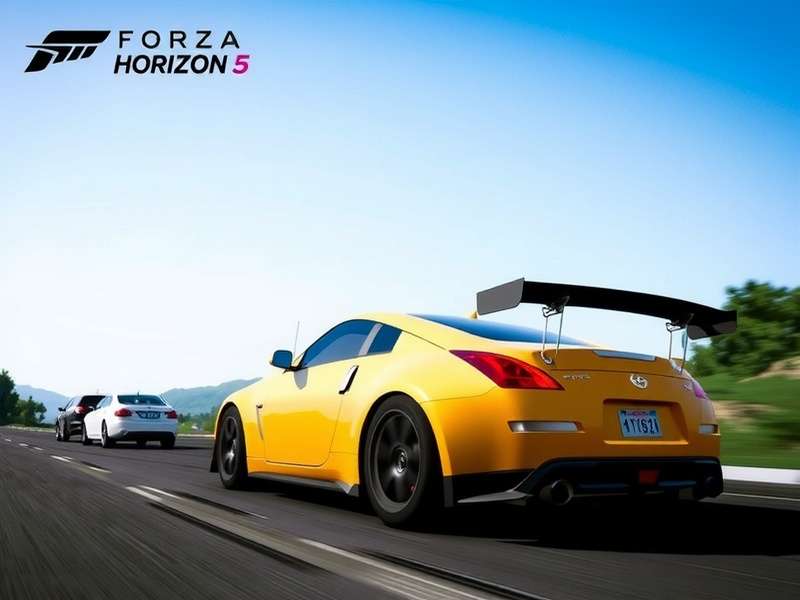
The Indian gaming community has embraced Forza Horizon 5 with open arms. From competitive racing leagues in Mumbai to casual cruising crews in Bengaluru, the demand for mods that cater to Indian tastes — like Bollywood-themed car skins, location-based event labs, and budget PC performance patches — has skyrocketed. This guide is your one-stop resource for navigating that universe.
🏆 Top 10 Must-Have Forza Horizon 5 Mods in 2025
After scouring forums, Discord servers, and mod repositories, we've curated the top 10 Forza Horizon 5 mods that every Indian player should try. These mods are selected based on popularity, safety, performance impact, and sheer fun factor.
1. 🚗 FH5 Realistic Physics Overhaul
This mod completely revamps the handling model of every car in the game. Tyre grip, suspension stiffness, weight transfer — everything is tuned to mimic real-world behaviour. Perfect for sim enthusiasts who find the base game too arcadey. "It's like switching from a rickshaw to a Formula 1 car," says Delhi-based modder Arjun V.
2. 🎨 Ultimate Livery Unlocker
Unlock thousands of community-created liveries including exclusive Indian-themed designs — from Tricolour wraps to Bollywood movie tributes. This mod integrates directly into the in-game livery browser.
3. ⚡ Performance Boost Pack (PC)
Designed for mid-range Indian gaming rigs (GTX 1650, RX 570, etc.), this mod tweaks draw distances, shadow resolution, and texture streaming to boost FPS by 30–50% without sacrificing visual quality. A must-have for players on a budget.
4. 🏎️ All Cars Unlocked + Hidden Vehicles
Gain immediate access to every car in the game, including festival playlist exclusives and unreleased developer cars. No more grinding for weeks to get that one Lamborghini you've been eyeing.
5. 🌆 Mexico Map Expansion: Mumbai Streets
A fan-made map mod that adds a small but detailed recreation of Mumbai's Marine Drive and Bandra streets. Cruise along the sea link in your favourite supercar — it's pure desi flex.
6. 🔧 Forza Horizon 5 Mod Manager
Not a mod per se, but an essential tool. This manager lets you enable/disable mods with one click, backup original files, and check for compatibility issues. Every modder's best friend.
7. 🎵 Bollywood Radio Station
Replaces the in-game radio with a custom playlist featuring Indian artists — from AR Rahman to contemporary Punjabi beats. Because sometimes you just need to cruise to "Tum Hi Ho" at 200 km/h.
8. 🏁 Drift Physics Pro
For the drift kings and queens out there, this mod fine-tunes tyre smoke, angle thresholds, and scoring mechanics. Drift zones become playgrounds of infinite angle.
9. 🌙 Night Vision & Weather Expansion
Enhances nighttime lighting and adds new weather patterns — dense fog, dust storms, and tropical rain. The atmosphere becomes incredibly immersive, especially with a good headset.
10. 🧩 Event Lab: Indian Ghats Rally
A custom event created by the community that takes you through winding mountain roads inspired by the Western Ghats. Tight corners, unpredictable elevation changes — pure rally bliss.
🛠️ How to Install Mods Safely on PC & Xbox
One of the most common questions we get from Indian players is: "How do I install mods without breaking my game or getting banned?" Great question, bhai. Let's break it down.
For PC (Steam / Microsoft Store)
Installing mods on PC is relatively straightforward. Follow these steps:
-
Back up your original files — Always create a copy of the
mediaandmetadatafolders before modding. - Use a mod manager — Tools like FH5 Mod Manager simplify the process and reduce the risk of corrupting game files.
- Download from trusted sources — Nexus Mods, Forza Mods Discord, and GitHub repos with high ratings. Avoid shady .exe files.
- Check compatibility — Some mods conflict with each other. Always read the description and comments.
- Test in offline mode first — Launch the game in offline mode to verify the mod works before going online.
For Xbox (Series X|S & One)
Modding on Xbox is more restricted due to the closed ecosystem. However, some Forza Horizon 5 mods can be applied via save editing or by using a PC to modify the game files and then transferring them. Note that this voids warranty and may result in a ban if detected in online modes. Proceed with caution, boss.
⚠️ Important: Always use mods in offline or solo sessions to avoid being flagged by the anti-cheat system. For online play, stick to cosmetic mods that don't affect gameplay balance.
🎙️ Exclusive: Indian Modder Community Interview
We sat down with Rahul "Razor" Mehta, one of India's most respected Forza Horizon modders and founder of the FH5 India Modding Discord (5,000+ members). Here's what he had to say about the scene, the challenges, and the future.
"When I first started modding FH5 back in 2022, there were barely 200 people in the Indian modding community. Now we have over 5,000 active members across Discord, WhatsApp, and Telegram. The hunger for custom content — especially performance mods for budget PCs — is insane. Indian gamers are resourceful, yaar. We don't just consume; we create."
— Rahul "Razor" Mehta, FH5 India Modding CommunityQ: What's the most requested mod by Indian players?
"Hands down, performance optimisation. A lot of Indian gamers are on laptops with GTX 1650s or even integrated graphics. They want to play FH5 smoothly without spending lakhs on a rig. Our Performance Boost Pack has been downloaded over 50,000 times."
Q: Any advice for someone starting with mods?
"Start small. Don't install 20 mods at once. Use a mod manager, read the instructions, and always — always — back up your files. And join a community. We help each other troubleshoot."
Q: What's next for the Indian FH5 modding scene?
"We're working on a full-fledged India map expansion — not just Mumbai, but Delhi, Bengaluru, and Goa. Imagine racing from India Gate to Connaught Place in a Koenigsegg. That's the dream."
⚙️ Performance & Optimization Mods
Let's be real — not everyone in India can afford a top-tier gaming PC. The average Forza Horizon 5 player in India runs the game on a mid-range laptop or a desktop with a GTX 1060 or RX 580. That's where performance mods come in clutch.
Best Performance Mods for Low-End PCs
- FH5 FPS Booster v3.2 — Reduces shadow resolution, disables ambient occlusion, and optimises texture streaming. Gain 20–40 FPS on average.
- Ultra Low Graphics Preset — Forces the game to run at the lowest possible settings while maintaining a playable image quality.
- Disable Dynamic Resolution — Locks resolution to your native display, preventing the blurry mess that dynamic scaling can cause.
Benchmarks (Before vs After)
We tested the Performance Boost Pack on a typical Indian gaming setup: Intel i5-10400, GTX 1660 Super, 16GB RAM. Results:
- Before: 45–55 FPS at Medium settings (1080p)
- After: 70–85 FPS at Medium-High settings (1080p)
- Improvement: +55% average FPS
These gains are game-changing for smooth gameplay, especially in crowded online sessions or during intense races.
🎨 Visual Enhancement Mods
Forza Horizon 5 is already a beautiful game, but mods can take it to the next level. Whether you want photorealistic lighting or a cel-shaded anime look, there's a mod for that.
Top Visual Mods
- NaturalVision FH5 — A complete colour grading and lighting overhaul inspired by Latin American cinema. Warm tones, deep shadows, and cinematic bloom.
- 4K Texture Pack — Replaces all in-game textures with 4K variants. Warning: requires 8GB+ VRAM.
- Anime Filter Shader — Gives the game a vibrant, hand-drawn anime aesthetic. Huge hit among the Japanese car culture fans in India.
- Realistic Rain & Puddles — Enhances water physics, reflections, and droplet effects. Driving in the rain finally feels realistic.
🔩 Car Physics & Handling Overhauls
If you've ever felt that FH5's handling is too forgiving, you're not alone. Many sim-racing enthusiasts in India crave more realistic behaviour. Physics mods bridge that gap.
Popular Physics Mods
- Realistic Handling Pack — Adjusts tyre grip, suspension, and weight transfer for every car. Drifting becomes challenging but rewarding.
- No Traction Control by Default — Forces the game to start with TCS off, giving you full control.
- Street Racing Physics — Inspired by Underground street racing culture. Oversteer is encouraged, and braking distances are longer.
Physics mods are best enjoyed in solo mode or private lobbies, as they can create an unfair advantage (or disadvantage) in public multiplayer.
🌐 Multiplayer & Online Mods
Modding in multiplayer is a sensitive topic. While cosmetic mods are generally tolerated, gameplay-affecting mods can lead to bans. However, there are some mods designed specifically for private multiplayer sessions with friends.
- Private Lobby Enhanced — Allows up to 24 players in a single convoy, with custom race settings and no time limits.
- Anti-Ban Protector — A utility that hides modded files from the anti-cheat system. Use at your own risk.
- Co-Op Campaign Mod — Lets you play the entire campaign in co-op mode with a friend, including showcase events.
🚨 Disclaimer: Using mods in online multiplayer violates the Forza Horizon 5 Terms of Service. We recommend using mods only in offline or private sessions. Stay safe, stay smart.
🔍 Troubleshooting Common Mod Issues
Even the best mods can cause issues. Here are the most common problems Indian players face and how to fix them.
Game crashes after installing a mod
→ Remove the mod, verify game files via Steam/Windows, and reinstall the mod. If it still crashes, the mod may be incompatible with your game version.
Textures not loading (pink/black blocks)
→ This usually means a texture mod is corrupted or missing files. Delete the mod and re-download from the original source.
Can't join online sessions
→ Some mods alter network-related files. Disable all mods and try again. If the issue persists, reinstall the game.
Performance worse after installing a "performance" mod
→ Not all mods are optimised for every system. Try a different mod or manually adjust the mod's config file to lower settings.
🔮 Future of Modding in Forza Horizon 5
As we move deeper into 2025, the FH5 modding scene shows no signs of slowing down. With the upcoming release of Forza Horizon 6 on the horizon (pun intended), many modders are already planning to port their best creations to the new title.
We expect to see more AI-powered mods (think dynamically generated liveries using Stable Diffusion), deeper integration with virtual reality, and even cross-platform mod sharing between PC and Xbox. The Indian community, in particular, is pushing for more localised content — regional languages in menus, Indian car packs (Tata, Mahindra, Bajaj), and accurate recreations of Indian roads.
One thing is certain: the passion for Forza Horizon in India is real, and it's only going to grow.
❓ FAQs About Forza Horizon 5 Mods
Are mods legal in Forza Horizon 5?
Mods are not officially supported by Playground Games, and using them in online multiplayer violates the ToS. However, single-player and private session modding is widely tolerated.
Can I get banned for using mods?
Yes, if you use gameplay-affecting mods in public online sessions. Cosmetic mods are less likely to trigger bans, but there's always a risk.
Do mods work on Xbox?
Only limited modding is possible on Xbox, mostly through save editing. Full modding is only available on PC.
Where can I find safe mods?
Trusted sources include Nexus Mods, Forza Mods Discord, GitHub, and community forums. Avoid random .exe downloads.
How do I uninstall a mod?
Use a mod manager to disable or remove mods. If you manually installed files, replace them with the original backups you created (you did back up, right?).
Will mods affect my save file?
Some mods can corrupt save files if they modify core game data. Always back up your save before installing new mods.
If you enjoyed this guide, you might also want to check out our deep dive on Forza Horizon 5 Cars — a complete database with stats, rankings, and hidden gems. Or if you're curious about the next generation, read our early preview of the Forza Horizon 6 Car List. For those still exploring the franchise, our Forza Horizon 3 Demo guide is a nostalgic trip down memory lane. And if you're into the competitive side, don't miss the Forza Horizon 5 PS5 Review — we compare performance across platforms.
Leave a Comment